Instance types
An instance type defines a compute shape — how many vCPUs, how much RAM, the default disk, and which storage blocks it can use — that you choose when deploying an instance. The page has General instance type and Baremetal instance type tabs, and lives in the Objects area.
For specific tasks, see Create instance type, Edit instance type, and Delete instance type under this section.
The screenshots below are captured automatically from the live product on each release, so they match the version you're running.
Browse instance types
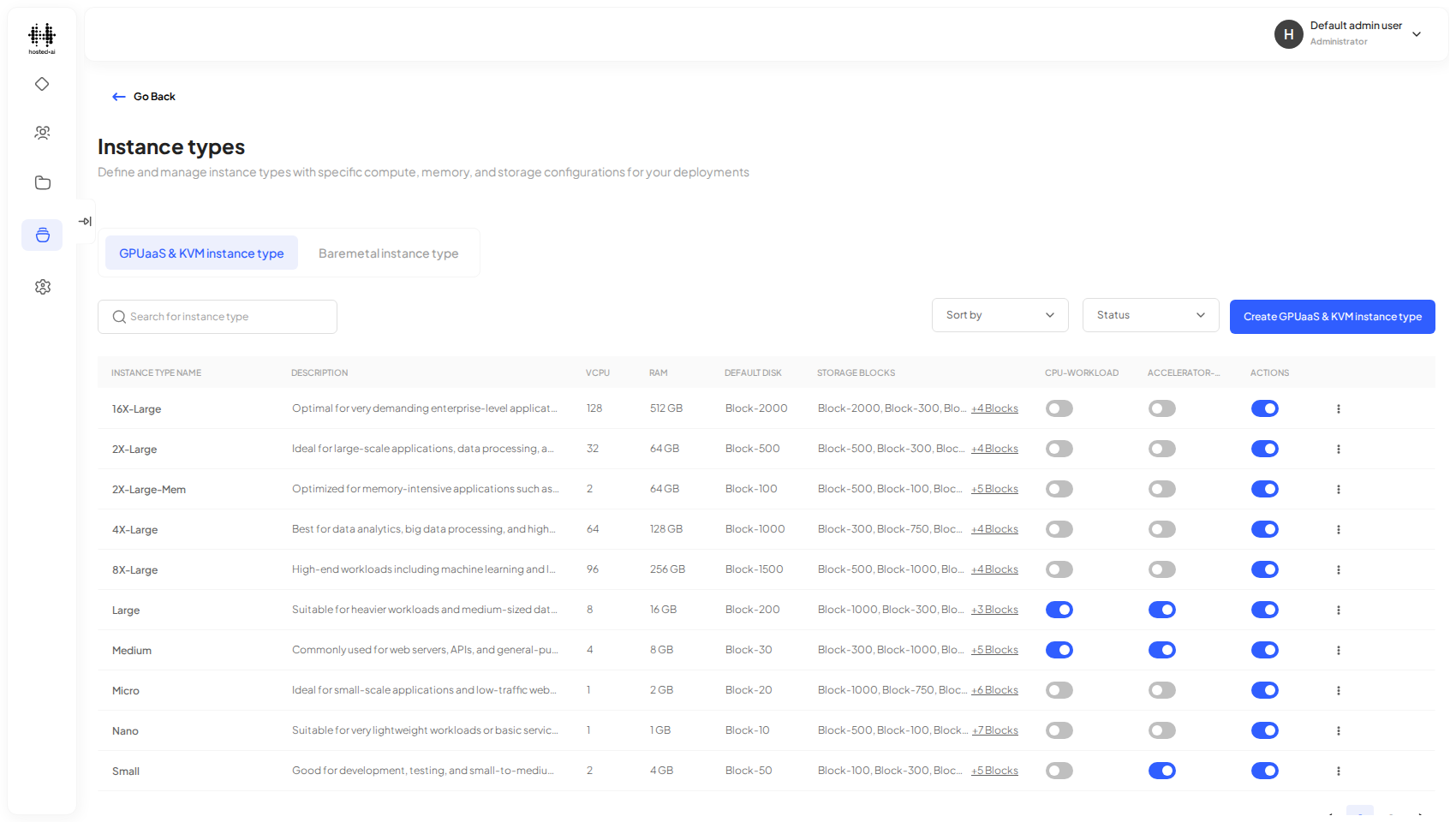
Each row shows the vCPU count, RAM, default disk, the storage blocks the type can use, and whether it supports CPU or accelerator workloads. Use the Search bar to find a specific type by name.
Enable or disable an instance type
Use the toggle switch on a row to control whether that type is available for new instances — it has no effect on instances that already use it.
Sort and filter
- Sort Order — A – Z or Z – A, alphabetical by name.
- Status — All Status, Active, or Inactive.
Reference
Fields
| Field | Type |
|---|---|
| Search for instance type | text |
Table columns: INSTANCE TYPE NAME · DESCRIPTION · VCPU · RAM · DEFAULT DISK · STORAGE BLOCKS · CPU-WORKLOAD · ACCELERATOR-WORKLOAD · ACTIONS
Tabs: General instance type · Baremetal instance type